
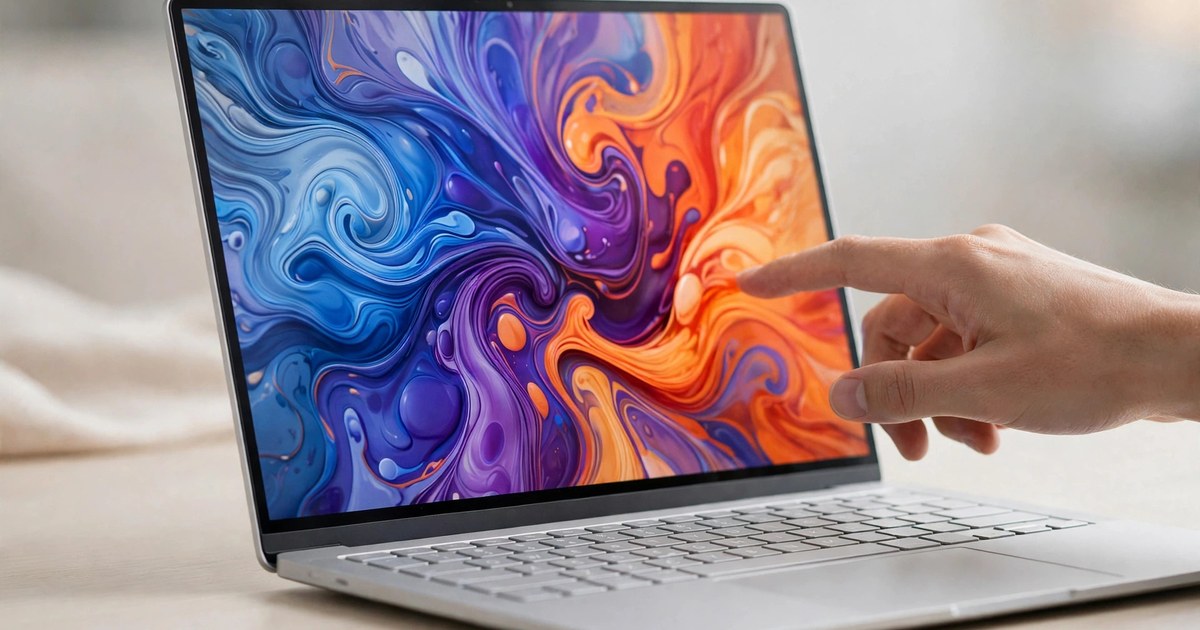
Apple has finally done the thing it spent years saying it would never do. The Apple touchscreen MacBook Pro was announced on 28 October 2026 at the company's "Pro and tell" event in Los Angeles, and it is the first Mac ever to ship with a touchscreen. It is also the first MacBook Pro with an OLED display, a combination that makes this the biggest change to Apple's professional laptop since the move to Apple Silicon in 2020. Pre-orders opened on the day of the announcement, and the new machines arrive on Friday, 6 November 2026.
For buyers, the announcement matters for a simple reason: the laptop most professionals actually use has just gained a whole new way of interacting with it, a much better screen, and a lighter body, all at a higher starting price. This article explains what Apple announced, what the Apple touchscreen MacBook Pro costs, when it arrives, how touch works on macOS, and how it compares with the cheaper MacBook Pro Apple announced only a day earlier. Everything below is drawn from Apple's announcement and same-day reporting by multiple technology outlets; where a detail comes from reporting rather than Apple itself, that is made clear.
1. How Touch Works on the Apple Touchscreen MacBook Pro
Touch on the Apple touchscreen MacBook Pro is an additional input method, not a replacement for the keyboard and trackpad. Apple says the touch sensor is built directly into the display panel rather than layered on top of it, which is meant to keep touch interactions feeling immediate, with no added latency. In practice, users can scroll through a web page with a swipe, pinch to zoom in on a photo, drag and drop content from one app to another, double-tap a window to make it fill the screen, and flick windows into tiled positions.
Apple has also redesigned the hinge so the screen stays stable when it is touched, and added software-based video stabilisation so the camera image does not wobble during a video call when a finger taps the display. Existing Mac apps should work with touch straight away because macOS translates touches into clicks, while new gesture programming tools let developers build experiences designed specifically for finger input. Apple names Notion, Canva, Zoom, Microsoft Word, Excel, PowerPoint and Outlook, Adobe Lightroom, DaVinci Resolve, Blender, Cinema 4D and djay Pro among the apps that will support the new interaction model. For creative work, Apple points to drawing directly on the full display, manipulating three-dimensional models with a hand, and playing software instruments on screen. Touch interfaces are now standard across phones, tablets and many other machines, including the robots now entering factories, so the Mac was the last major Apple device still holding out.
2. The Apple Touchscreen MacBook Pro Display: PROLED XDR Explained
The screen is the other headline. Apple calls it the PROLED XDR display, a tandem OLED panel that it describes as the best display ever put in a professional laptop. It reaches up to 2,000 nits of peak brightness for both HDR and SDR content, up from 1,600 nits on the previous MacBook Pro display, and offers a 10,000,000:1 contrast ratio, which produces the deep blacks OLED screens are known for. The refresh rate varies adaptively from 10Hz to 120Hz using ProMotion technology, and the wider colour gamut covers both P3 and Adobe RGB, which matters for photographers and print designers who need colours to match across devices.
An antireflective coating cuts glare in bright lighting, and buyers can order the machine with an optional nano-texture display finish. A display engine controls the colour and brightness of each pixel, compensating for content, temperature, environment and pixel use over time. For video editors and photographers, the practical difference is a screen Apple pitches as a portable reference monitor: brighter highlights, truer blacks, and colour that holds up for professional work without an external display. The display also carries the second big visual change, covered below: the notch is gone.
3. M5 Pro and M5 Max: Power for the Apple Touchscreen MacBook Pro
Inside, the new MacBook Pro runs on Apple's M5 Pro and M5 Max chips, which Apple describes as its most powerful chips ever built for a professional laptop. Configurations go up to 128GB of unified memory and up to 16TB of storage, figures aimed squarely at video editors, 3D artists, developers and researchers working with very large files or datasets. Apple says the M5 Max can run large language models with hundreds of billions of parameters entirely on the device, a claim that reflects how much artificial intelligence work has moved from the cloud onto the laptop itself.
That on-device capability is part of a wider shift in computing, where the fastest chips are increasingly judged by how well they handle AI workloads alongside traditional creative tasks. Demand for high-performance silicon has driven some of the largest technology deals of the year, including the huge GPU spending now reshaping the cloud industry. For most buyers, the more useful question is simpler: the M5 Pro configuration is the mainstream professional choice, while the M5 Max is for people who regularly max out memory or graphics performance and are willing to pay a large premium for it. Apple has not published detailed core counts for these configurations in its announcement, so buyers comparing processors should wait for independent benchmark testing rather than relying on chip names alone.
4. Thinner, Lighter, Longer-Lasting: the New Design
The redesign cuts weight in a way owners will notice every time they pick the machine up. The 14-inch model now weighs 3 pounds, half a pound less than the previous 3.5-pound design, while the 16-inch model weighs 4 pounds, down from 4.7 pounds. Both machines are also slightly thinner and smaller in footprint: the 14-inch model measures 0.59 by 12.24 by 8.52 inches, compared with 0.61 by 12.31 by 8.71 inches before, and the 16-inch model measures 0.63 by 14 by 9.62 inches. Apple says the machines retain a redesigned thermal system for sustained performance despite the slimmer bodies.
Battery life is rated by Apple at up to 24 hours, and the six-speaker sound system now provides 50 percent deeper bass, according to Apple. A 12MP Center Stage camera and studio-quality microphones complete the video-call setup, alongside Thunderbolt 5 ports, Wi-Fi 7, Bluetooth 6, an HDMI port, an SD card slot, MagSafe charging and a headphone jack. Two familiar details return or remain: the glowing Apple logo on the lid is back, after being removed in 2016, and the Dynamic Island, first seen on the iPhone, now comes to the Mac. It replaces the display notch and serves as the home for Spotlight search, Live Activities and Siri AI. Touch ID remains for unlocking and payments; Apple does not offer Face ID or built-in cellular models on this MacBook Pro.
5. Apple Touchscreen MacBook Pro Price, Configurations and Release Date
The Apple touchscreen MacBook Pro price starts at $2,899 in the United States for the 14-inch model with the M5 Pro chip, and $3,399 for the 16-inch model with the M5 Pro. Stepping up to the M5 Max raises the starting price to $4,499 for the 14-inch model and $4,799 for the 16-inch model. Education pricing starts at $2,749 for the 14-inch M5 Pro model and $3,199 for the 16-inch version, with M5 Max education prices of $4,199 and $4,499 respectively. In the US, Apple Upgrade leases start at $55.99 a month over 36 months, excluding taxes and any trade-in credit.
Pre-orders opened on 28 October 2026 in 30 countries and regions, including the United States, and the first machines reach customers, Apple Stores and authorised resellers on Friday, 6 November 2026. The headline prices are starting prices only: adding memory, storage or the nano-texture display will raise the final cost considerably, and the M5 Max configurations in particular can climb well past $5,000 once options are added. Buyers outside the United States should check local pricing, which Apple sets per market and which will differ after taxes and currency conversion.
6. Touchscreen Model vs the M6 MacBook Pro: the Confusing Lineup
Choosing between Apple's new laptops is harder than it should be, because Apple announced two different MacBook Pro lines in two days. On 27 October 2026, Apple unveiled a standard MacBook Pro with the newer M6 chip, starting at $1,999 for the 14-inch model. That machine keeps the mini-LED display, with up to 1,600 nits peak HDR brightness, has no touchscreen, uses Thunderbolt 4 ports, and weighs 3.4 pounds. The touchscreen PROLED model, announced a day later, costs $900 more at the same screen size, but uses the older-generation M5 Pro and M5 Max chips rather than M6 Pro or M6 Max versions.
Reporting before the announcement suggested the M6 Pro and M6 Max chips were simply not ready yet, which would explain the split. Whatever the reason, the result is a lineup where the more expensive machine has the better screen and touch, while the cheaper machine has the newer base chip. Apple has also kept the MacBook Pro configurations launched in March 2026, with M5 Pro and M5 Max chips, on sale at the same prices, according to same-day reporting. For most people, the sensible comparison is therefore not chip against chip, but screen and touch against price: the M6 model is the value choice, and the PROLED touchscreen model is the choice for people who will genuinely use the display and touch every day.
7. Why Apple Changed Its Mind — and What Is Still Missing
For years, Apple resisted putting touchscreens on the Mac, arguing that reaching up to touch a vertical laptop screen was uncomfortable and that the trackpad and keyboard were the right tools for the job. Its one earlier experiment with touch on the Mac, the Touch Bar, a thin touch strip above the keyboard introduced in 2016, was withdrawn in stages and disappeared entirely when the last 13-inch MacBook Pro carrying it was discontinued in October 2023. The Touch Bar failed, critics argued, because users had to look down to use it, it replaced physical keys people relied on, and developers could never assume it would be present.
The touchscreen MacBook Pro avoids those problems by adding touch to a screen every buyer already looks at, while keeping the keyboard and trackpad exactly where they are. The software has also moved in this direction: macOS 27, which ships on the new machine with Apple Intelligence and Siri AI, has gradually gained touch-friendly interface behaviour, and the iPad has spent years closing the gap with the Mac from the other side. What is still missing is worth noting before buying. There is no Face ID, no cellular option, and no touchscreen MacBook Air, so buyers who want touch at a lower price or in a lighter machine will have to wait. Early hands-on reviews, expected over the coming days, will show whether the hinge really stays put during heavy touch use and whether fingerprints on a glossy professional display become an everyday annoyance.
Who Should Buy the Apple Touchscreen MacBook Pro?
The Apple touchscreen MacBook Pro makes most sense for creative professionals who work with their hands on the screen: illustrators and photo retouchers who draw directly on images, video editors scrubbing timelines, musicians playing on-screen instruments, and designers manipulating 3D models. It also suits anyone who already switches constantly between a Mac and an iPad and wants one machine that accepts both kinds of input. For those buyers, the PROLED XDR display alone may justify the premium, with touch as a genuine bonus rather than a gimmick.
Most other buyers should think twice. Students, office workers and general users who mainly type, browse and stream will get the same screen size, the same rated battery life and a very similar port lineup from the $1,999 M6 MacBook Pro, saving $900. Anyone who needs the absolute newest chip, Face ID or built-in mobile data should wait, and anyone on a tight budget should consider the remaining March 2026 configurations or the MacBook Air range. The right question is not whether touch on a Mac is a good idea in principle — Apple has now answered that — but whether your daily work actually happens with a finger on the screen. If it does, this is the MacBook Pro Apple has been building towards for a decade. If it does not, the cheaper MacBook Pro remains the smarter buy.
Sources: Apple Newsroom announcement, 28 October 2026; TechCrunch; MacRumors; 9to5Mac; PetaPixel; The Apple Post. Prices and specifications are as announced by Apple on 28 October 2026 and may vary by market.